













Easy to use web portal for managing your remote connections
WeConnect is very simple to set up and use. You can be up and running in a few simple steps.
- Contact your local Westermo office or distributor to get login details (See list of contacts here)
- Go to https://weconnect.westermo.com and sign in
- Create a secure network
- Add nodes in portal
- Add nodes in routers
- Create clients
- Complete!
Step 1: Get login details from Westermo
Please contact the Westermo office to get a username and password. See list of contacts here.
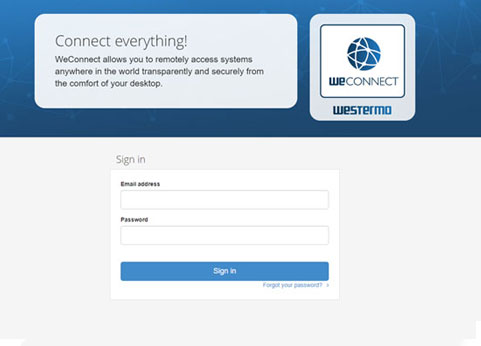
Step 2: Login at weconnect.westermo.com
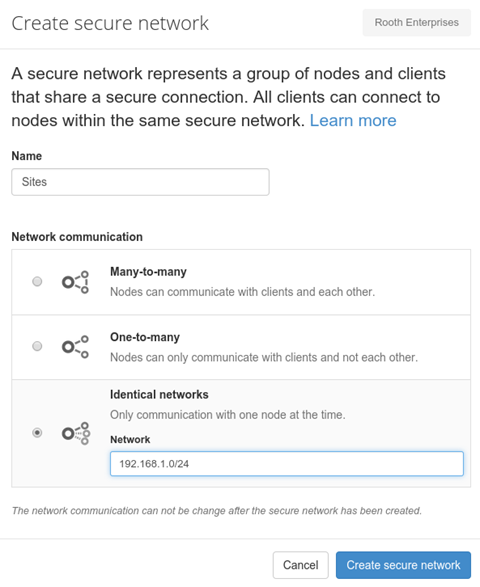
Step 3: Create a secure network
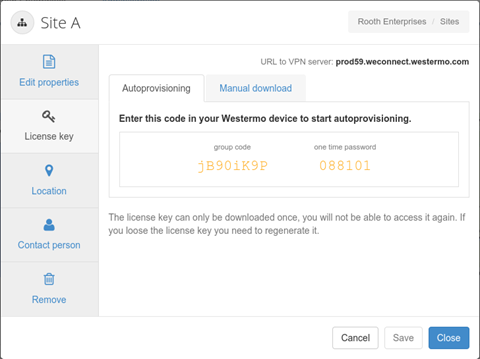
Step 4: Add the nodes (remote assets) - Portal
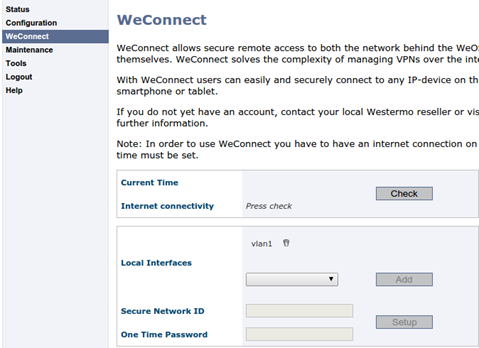
Step 5: Add the nodes (remote assets) - Westermo router
Step 6: Create clients
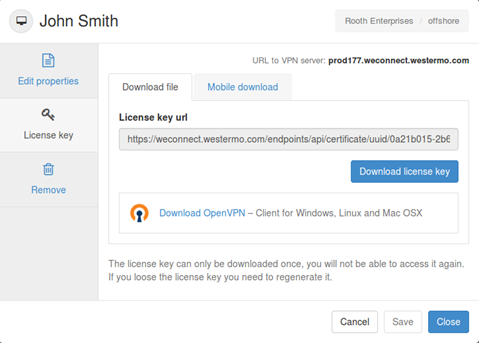
Complete!
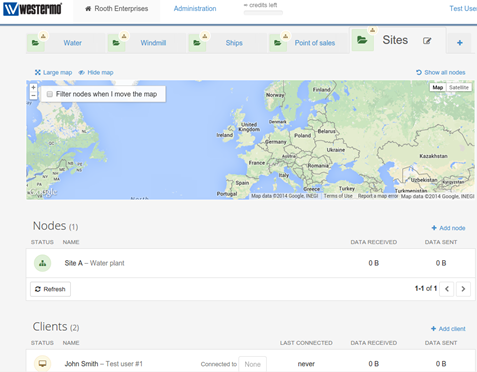

Easy to use and configure
WeConnect has been developed to be very easy to use. All configuration is made through a simple web portal. Download the data sheet to see the step-by-step guide just how easy it is to get up and running.
Download PDFCarl de Bruin
International Sales
Ask me about WeConnect

Muut tavat ottaa yhteyttä
Tukipyynnöissä klikkaa tästä ottaaksesi yhteyttä tekniseen tukeen